Jay Sachetti joined Jeff O’Brien, partner at Husch Blackwell and Dyanne Ross-Hanson, president of Exit Planning Strategies talked about the market for mergers and acquisitions, exit planning opportunities for companies that don’t end up for sale and how companies can maximize their eventual sale price during an early October panel at the first Upsize on Tap event at Summit Brewing Co. in St. Paul.
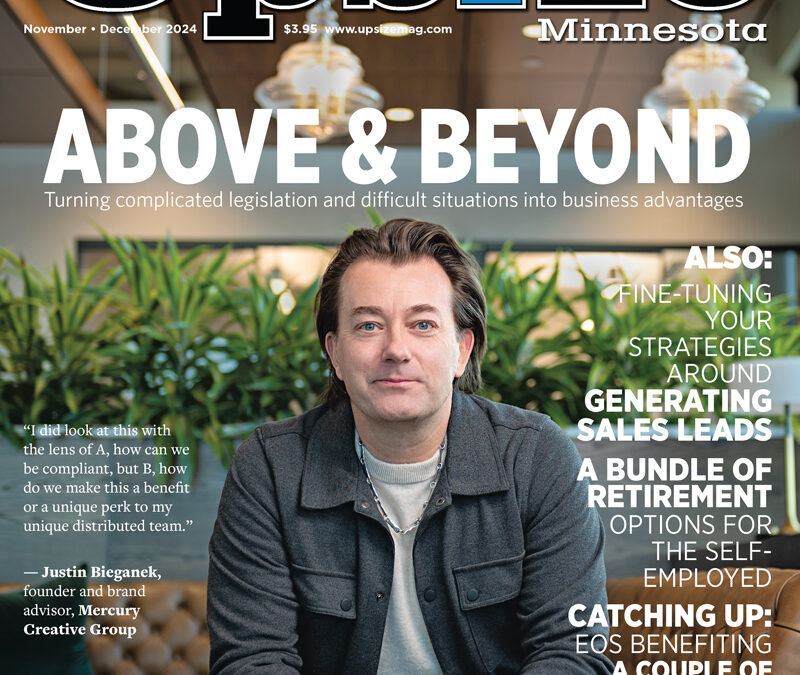
When the state Legislature passed a law requiring employers to provide paid leave and safe time for employees, Justin Bieganek started hearing differing details from friends, colleagues and peers.
1, Aim to post between two and five times weekly. If that proves difficult, write several posts at once when you get some ideas and schedule them to run over time.
2, Use LinkedIn’s custom post options. They stand out in the feed and make your post more likely to be seen and shared by others.
3, Responding to people who leave comments on your posts shows appreciation while also boosting your engagement on LinkedIn.
4, Optimize your personal page, as well. Be authentic. Personalize it while avoiding oversharing.
How to drive engagement and find leads on LinkedIn
LinkedIn is a unique social media network. As the preferred place for business networking online, LinkedIn has its own culture and guidelines for what content performs best. Videos or posts that make a splash on TikTok or YouTube shorts may fizzle on LinkedIn.
If you’re not seeing the engagement you expected on LinkedIn, it could be as simple as a content mismatch. Here are some simple guidelines to get the most from “the business network.”
1. Post regularly, but strategically
Like most social media, LinkedIn’s algorithm rewards steady, consistent activity. According to research by HubSpot, you should aim to post between two and five times per week. This is easier said than done, especially for business owners who may want to post to both their personal and business profiles.
Instead of posting all your great ideas at once, write a bunch of social media posts when you feel a burst of inspiration and schedule them to post later. You can use a scheduling tool like HubSpot or Hootsuite to plan out your content in advance.
Likewise, you can use the same content with strategic language changes by profile to maximize engagement. Let’s say you’re creating a LinkedIn post around a recent blog you found. On your personal profile, the post might be more casual and direct and refer to your personal insights on the article. On your business profile, you might keep the post more high-level and focus on how the article relates to industry insights it may provide your customers. It’s the same core content, customized for each type of profile.
2. Use LinkedIn’s native posting tools
LinkedIn has a lot of custom post options that you should use to your advantage. Not only do these stand out in the feed, but they are favored by the LinkedIn algorithm (which makes it more likely your post will be seen and shared by others). These include:
LinkedIn articles — A blogging-like tool within LinkedIn.
Polls — Ranked questions or statements where users can “vote” for their favorite.
Carousel posts — A series of images in a slideshow format.
Auto-play videos — Short- or long-form videos that play in the feed.
Events — Landing pages sharing a physical or virtual event with the ability to RSVP
Any of these options are great ways to cultivate engagement, as many of them encourage interaction — like a poll that requires a choice to be made or a carousel that requires a viewer to click through to see the full post.
3. Long-form content
Contrary to many other social networks, longer content performs well on LinkedIn. Posts that are 300 to 500 words routinely get more traction on LinkedIn. The business culture of LinkedIn seems to value deeper insights over short and snappy posts or videos. A clever feature within LinkedIn’s design automatically adds a “see more” link for content that’s longer than three to five lines of text. By design, LinkedIn users expect to interact with posts to read further.
However, long-form content doesn’t mean a “giant wall of text.” Make your long-form posts easy to read with line breaks, emojis, bullet points and links to create a flow and scannability.
4. Respond to comments
It’s important to take the time to follow up with people after they leave comments on your posts. Not only does this show appreciation, but it can boost your engagement on LinkedIn. When you respond to a comment, it sends a notification to the original commenter, prompting them to revisit your post. It also shows anyone else viewing the post that you’re active on the platform and gives them the chance to engage or follow you.
If you see multiple comments on your post, jump in as soon as possible to respond to comments and be a part of the conversation.
However, if you see comments trickle in, give yourself a few hours or even a few days before responding. This will help boost activity on the post after it’s already been live for a while and received the initial burst of views. LinkedIn is a slower-moving social network, so you can take more time replying to comments and rekindle engagement.
5. Optimize your personal profile too
Even if you’re focused on growing your business page, it’s critical that your personal LinkedIn page is engaging as well. Take a look at the personal pages of the people in your company who are most often using LinkedIn — this will likely be your CEO, CFO, sales team and marketing team. Make sure each of their profiles follow best practices for an effective LinkedIn bio:
Bios have a clear goal in mind (convey experience, attract new employees, etc.)
Written in first person, not third person
Personalized without being too formal and without “oversharing” on non-business topics
Authenticity is key — share goals, business thoughts and advice.
The better your personal page, the better it will connect with visitors. Additionally, updating a personal page sends notifications to your connections, which may prompt them to visit your company’s page after reviewing your personal profile.
6. Sweat the small stuff
Finally, don’t neglect details like keywords and hashtags. LinkedIn has its own micro-algorithm for when people search the site. Using keywords in your personal profilee, business profile, articles and posts can help LinkedIn point more people to your page. Use keywords that are relevant to your position/industry — for example “marketing coordinator” or “inbound marketing.” Don’t stuff your page full of these phrases, but make sure to sprinkle them naturally throughout your bio text. Similarly, each post you make should include exactly three hashtags (no more, as LinkedIn appears to only look at the first three based on our testing).
LinkedIn is a unique social media platform, but with a dedicated audience. Since it primarily attracts a business audience, it’s an essential tool for many B2B companies. However, you need to consider the audience of LinkedIn and what type of content performs well in order to drive engagement. Get out there and post — done right, LinkedIn can drive real leads and engagement.